
1. Use the right social networks
There are a lot of options for social media marketing, like the most popular networks (Facebook, Twitter, LinkedIn, Instagram, Pinterest, and YouTube), as well as some newcomers over the last few years (Snapchat, Tik Tok, and a bunch you may never have heard of). And it may make your head spin. But don’t worry. We’ll help you narrow it down to the top four: Facebook, Instagram, LinkedIn, and Twitter. Here’s why:- Facebook is used by consumers in your area and all over the world. The platform will help you reach your customers.
- Instagram is eye candy and used by people who want to see a visual representation of the people and businesses they like. It will help you reach your customers and build a visual brand with photos and videos.
- LinkedIn is buttoned up and all about what’s happening in your industry. The content here will help you reach corporate clients and contacts in your industry.
- Twitter is an up-to-the-moment source for news and information. Posting here will help you reach media outlets, industry news sites, and industry contacts.
2. Optimize your social media profiles
Each of these networks is set up differently depending on the network, and the settings offered. No matter which one you use, keep these tips in mind:- Always use a business account and not a personal account for your venue’s social media profiles. Business accounts come with layouts and settings that help you promote your business and analyze social media posts and follower data. Personal accounts don’t have all of that, and honestly, “friending” a business is creepy because they can see all the things their followers post.
- Fill out all of the space for information that the social network gives you, including your website, street address, phone number, email address, business hours, price range, business type, takeout and delivery information, and links to other social media profiles.
- Use relevant keywords whenever possible in your description that relate to your venue type (restaurant, hotel, or unique venue), type of cuisine, event types that you host, your location, and dining options (indoor, outdoor, takeout or delivery).
- Share your Tripleseat lead form link wherever possible — in your social media bios (and as the only link in your Instagram bio), your call to action button on Facebook, and social media posts — to provide multiple places for your audience to see it and click it to submit an event inquiry. To learn more about how to use lead form links on social media, watch the video below.
3. Create the right social media content
Once you’ve decided on one or more social media platforms and your social media profiles have the most up-to-date information, it’s time to create content that appeals to your followers, motivates them to continue interacting with you, and makes it easy to book your venue. The key here is to approach content from the customers’ perspective. Create posts that focus on the things they care about. The words you use can make a big difference. Saying “Book now for spring 2021 events,” is centered around your business and what you want. Changing your text to “Get a 10% discount on your spring 2021 event deposit,” gives the customers something they want and an incentive to take action. If you are encouraging customers to make an event inquiry, make sure you are using the lead form link in those posts. Let’s look at the types of posts that work on each social network, as well as an example from each: Facebook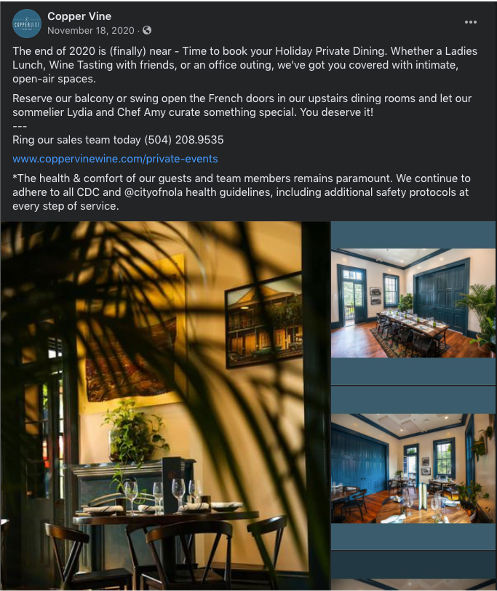
- Show off your business/behind the scenes
- Post about your events business
- Share event packages
- Catering
- Talk about new deals or offers
- Go live
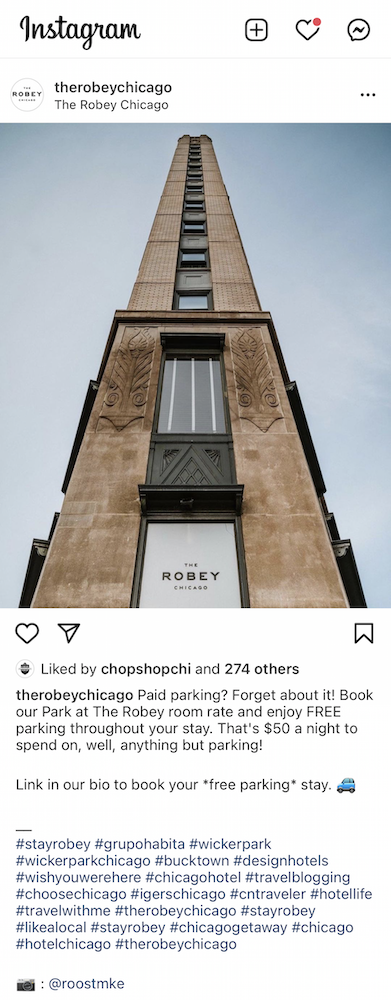
- Make your venue an Instagrammable location
- Go live
- Show your space
- Show what your employees do behind the scenes
- Use your lead form link as the link in your Instagram bio
- Include relevant hashtags in your caption to get found by people looking for those topics
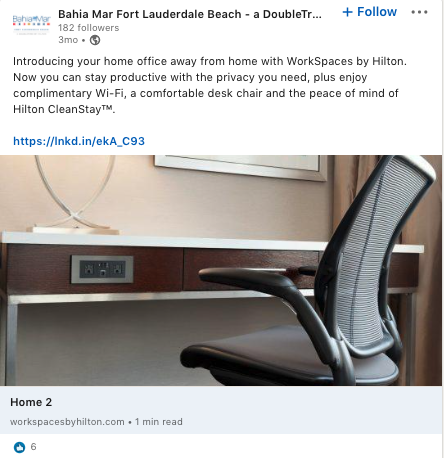
- Talk about benefits for corporate clients
- Post about corporate events
- Cover popular topics like virtual events, hybrid events, catering, holiday parties, networking parties, and conferences
- Show off your industry tips/knowledge
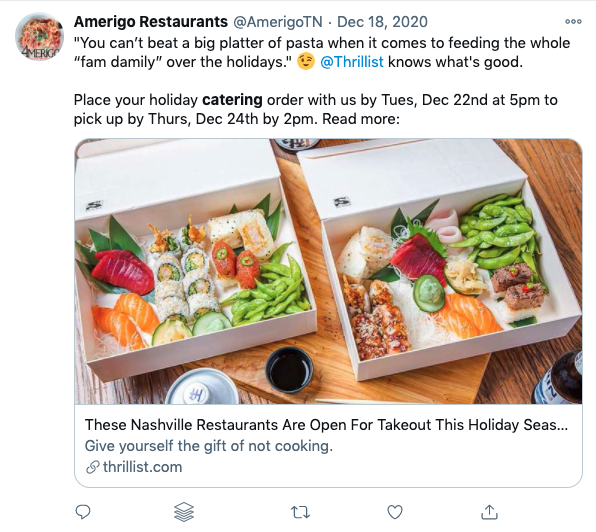
- Show off your industry tips/knowledge
- Share curated content from industry and local publications – tag the authors
- Reach out to publications
- Follow the trends — look for popular, relevant hashtags and create posts that promote your venue and are relevant to the trend
- Customer service
4. Measure your activity
Measuring the results from your social media content is necessary to find out if what you’re posting online is working. Start with the right tools: Analytics tools and what to measure All of the social networks have free tools that provide you with analytics on your posts and profiles. If you want to go beyond the free tools, there are a lot of paid social media software services to look into for even more analysis and you can use them to schedule your posts ahead of time: Regardless of which tools you are using, here are the results you should be looking at on a regular basis to find out what’s working in your social media marketing:- The number of clicks your links receive — find out if social media is driving traffic to your website
- Engagement — the likes, comments, and shares for your posts
- The number of followers your page has — the exact number isn’t as important as seeing steady growth over time
- Content type — find out if your links, photos, or videos are getting the most response from followers
- Leads by Source — if you have chosen social media sources for your lead forms, the number of leads by those sources will appear here
- Lead Details Report — also shows the source of leads and which lead forms were used for inquiries
- Lead Conversions Report — shows a daily look at the leads by source, number of leads, conversions, and revenue.